
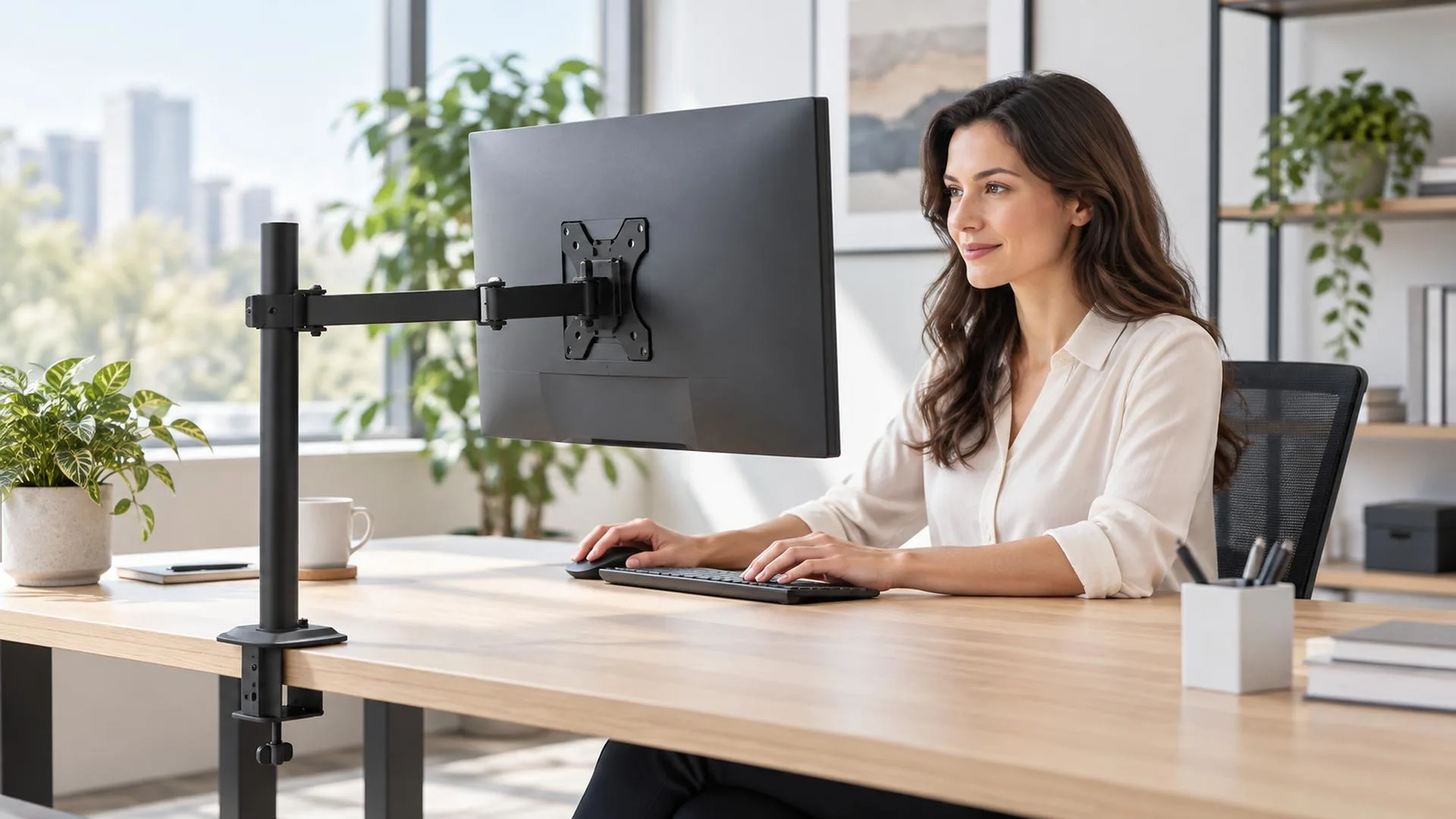
A monitor arm may look like a simple office accessory, but its real value lies in how it changes the way people use their desks. Instead of accepting the fixed height and limited movement of a standard monitor base, users can position the screen around their work, posture, and available space.
That flexibility is useful in modern offices, where employees move between individual work, video calls, collaboration, and sitting or standing. For retailers, a monitor arm for office use is therefore more than a metal support. It is a practical workspace upgrade with benefits that are easy to demonstrate.
What Does a Monitor Arm Change in Everyday Work
A factory monitor stand normally offers limited height, tilt, or rotation. Some stands are adjustable, but their large bases continue to occupy valuable desk space. A monitor arm moves the display away from that fixed footprint and supports it from the rear or edge of the desk.
Depending on the design, an adjustable monitor arm can change height, extend, retract, tilt, swivel, and rotate. These movements allow the screen to follow the user instead of forcing the user to work around it. OSHA recommends placing the top of the screen at or slightly below eye level and keeping the display directly in front of the user at a comfortable distance; an adjustable arm makes those changes easier.
Seven Ways Monitor Arms Make Office Work Easier
1. More Comfortable Screen Positioning
The main advantage is control over screen height, distance, and angle. Different employees can place the display where it feels natural, while tilt can help manage reflections. For retailers, this is clearer than simply listing degrees of movement: the user can bring the screen to a more comfortable position.
2. Easier Adjustment for Different Tasks
Office work may involve spreadsheets, video meetings, and long documents on the same day. Rotation supports portrait content, extension helps with detailed work, and retraction creates space when the screen is not the main focus. Properly balanced gas-spring arms are convenient for frequent adjustment; simpler designs suit screens that remain in one position.
3. More Usable Desk Space
Traditional monitor bases can occupy much of a compact desk. Supporting the screen from the desk edge or a grommet hole opens the surface below for documents, a docking station, or a keyboard. A before-and-after image can communicate this retail benefit faster than a specification list.
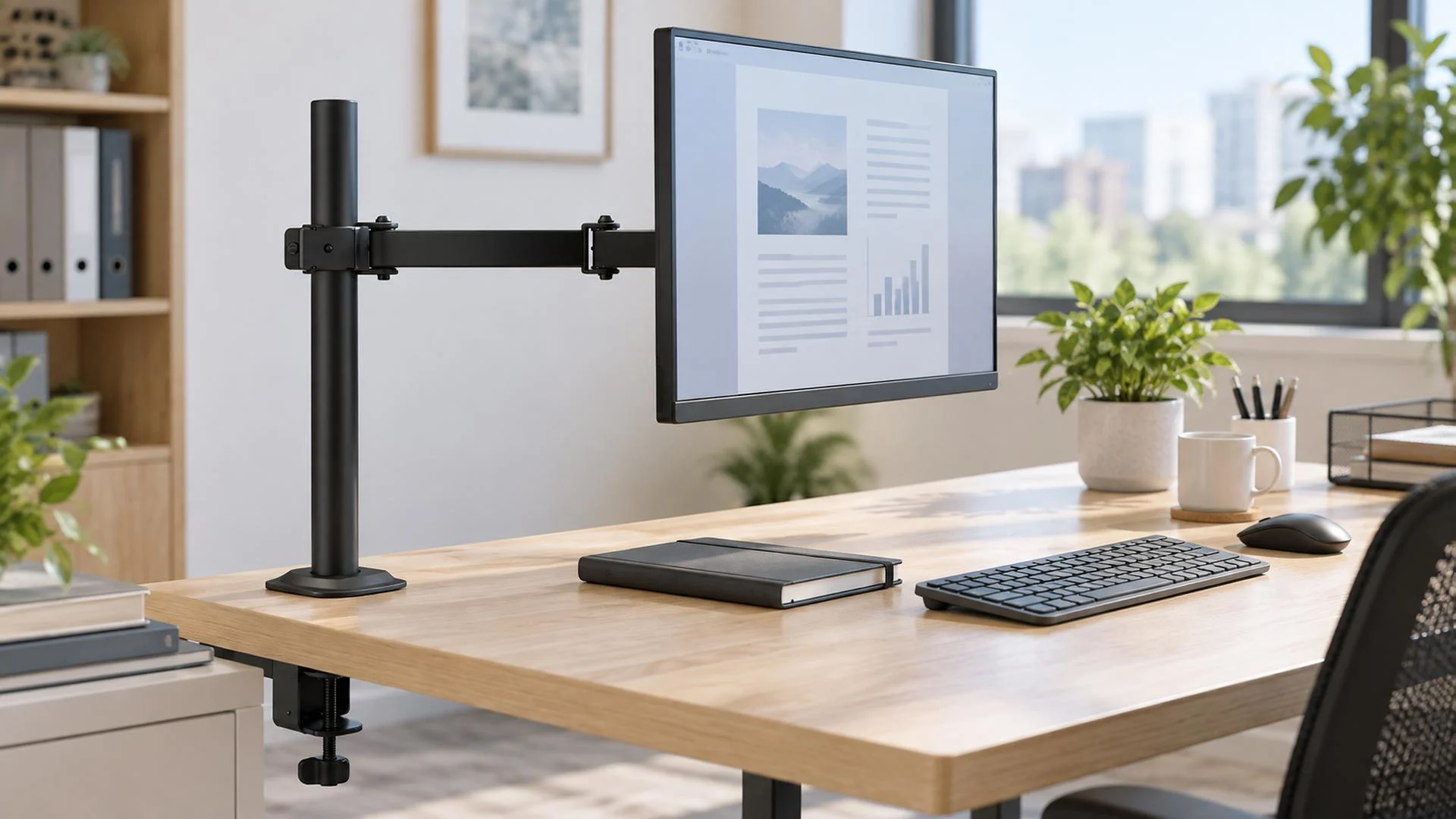
4. Better Support for Shared Workstations
At hot desks and shared home offices, one fixed screen position cannot suit everyone. A height-adjustable monitor arm lets each user reset the screen quickly, so retailers can position adjustability as a shared-workstation feature as well as a comfort feature.
5. Easier Sitting and Standing Transitions
When a sit-stand desk rises or lowers, the screen still needs a suitable height and distance. Buyers should check whether the arm’s range and stability suit the monitor and desk, and leave enough cable slack for safe movement.
6. Faster Screen Sharing and Collaboration
Swivel and extension make it easier to turn a screen toward a colleague at a reception desk, studio, service counter, or team workstation. The arm therefore supports collaboration as well as individual comfort.
7. Cleaner Cable Management
Many monitor arms include clips or channels that guide cables toward the back of the desk. This improves appearance and helps reduce snagging. Users should leave enough cable length at moving joints so adjustment does not stress the connectors.
Which Monitor Arm Functions Should Buyers Compare
The best monitor arm is not necessarily the model with the greatest number of movements. It is the model whose functions match the monitor, desk, and user.
Before choosing a product, buyers should check:
- VESA pattern:Most office monitors use mounting holes such as 75 x 75 mm or 100 x 100 mm, but the pattern must be confirmed.
- Monitor weight:Use the display weight without its original stand and keep it within the arm’s specified range.
- Screen size:Size helps describe compatibility, but weight and the location of the center of gravity are also important.
- Range of motion:Compare height adjustment, extension, tilt, swivel, and rotation with the actual tasks users perform.
- Desk attachment:A clamp mount is convenient for a suitable desk edge, while a grommet mount uses a hole through the work surface.
- Desk construction:Thin, weak, hollow, or glass surfaces may require special consideration or reinforcement.
- Cable routing:Check that the arm can guide the number and type of cables used at the workstation.
NBMounts offers monitor-mount models for common office display sizes, including gas-spring options and VESA-compatible designs. Retail buyers should match individual model specifications to their target customers rather than treating all monitor arms as interchangeable.
Why These Benefits Matter to Retailers
Retail customers may not understand extension range, swivel angle, or gas-spring tension, but they understand the problems those functions solve. A useful product page should connect every feature to a result:
- Height adjustment helps different users position the screen.
- Extension brings the display closer for detailed work.
- Rotation supports portrait documents and coding.
- Cable channels create a cleaner workspace.
- Clamp and grommet options fit different desk installations.
- A gas-spring mechanism makes frequent repositioning easier.
This also supports a clearer assortment: a basic arm for price-conscious offices, a full-motion gas-spring arm for frequent adjustment, and single or dual models for different workflows. Colors, packaging, and accessories can support private-label positioning.
A Small Product with a Visible Office Benefit
A well-matched monitor arm makes the screen easier to position, returns useful space to the desk, and allows the workstation to adapt to different users and tasks. Those benefits are relevant in corporate offices, home offices, shared workstations, and sit-stand environments.
For retailers, the strongest message is not simply that a monitor arm holds a screen. It is that the product makes an existing monitor easier and more convenient to use every day.
NBMounts develops and manufactures monitor-mount solutions for international customers, with OEM and ODM support available for product selection, color, packaging, and market-specific requirements. Contact our team to request a wholesale catalog or discuss a monitor-arm range for your retail market.
Build an Office Monitor Arm Range with NBMounts
Looking for monitor arms that fit the needs of your retail customers? Explore NBMounts and compare the available models. Then contact our team with your target screen sizes, mounting preferences, order volume, and market requirements. We can discuss suitable products, wholesale supply, and OEM or ODM options for your range.
FAQ
1. What is the main benefit of a monitor arm for office use
The main benefit is adjustability. A monitor arm allows the user to change screen height, distance, tilt, swivel, and sometimes orientation, helping the workstation fit different users and tasks while freeing desk space.
2. Does every monitor fit a monitor arm
No. Buyers must check the monitor’s VESA mounting pattern, weight without the original stand, screen size, and any recessed mounting area. The arm’s capacity and mounting plate must match the display.
3. Is a gas-spring monitor arm better for an office
A gas-spring arm is useful when the screen is repositioned frequently because movement can be smooth and quick after the tension is adjusted correctly. A simpler arm may be sufficient when the display stays in one position.
4. Can a monitor arm be installed on any desk
Not always. The desk edge, thickness, material, strength, and underside clearance must suit the clamp or grommet system. Glass, hollow-core, thin, or fragile desks may need a different solution or reinforcement.
5. Why should retailers include monitor arms in an office-accessory range
Monitor arms complement monitors, desks, office chairs, docking stations, and cable-management products. They provide visible benefits, support different price tiers, and create opportunities for bundles and product upgrades.