

A large display is useful in many places, but a wall mount gives it only one permanent location. A mobile TV cart offers a different approach: mount the screen securely once, then move the complete display system to the room where it is needed.
That change makes a television, interactive display, or presentation screen more useful. Companies can share equipment between meeting rooms, schools can move technology between classrooms, and event teams can reposition digital signage without altering a venue. For distributors, a mobile TV cart is therefore a flexible display solution, not simply a stand with wheels.
What Is a Mobile TV Cart
A mobile TV cart, also called a rolling TV cart or mobile display stand, is a freestanding support designed to hold a flat-screen display on a wheeled base. The mounting plate attaches to the VESA holes on the back of the screen, while vertical columns support the display at a suitable height.
Depending on the model, the cart may include adjustable height, tilt or rotation, AV and camera shelves, cable management, and locking casters. Unlike a wall mount, it needs no permanent location; unlike a basic floor stand, it is designed to move. Compatibility, stability, maneuverability, and accessories determine how well it works.
Why Mobility Changes How a Display Is Used
One Display Can Serve Multiple Spaces
The clearest benefit is resource sharing. Eaton highlights the ability to bring presentations and digital signage into spaces without permanent video installations. One screen might move from a conference room to a training area, between classrooms, or from event registration to a presentation. Retailers can therefore sell not only mobility but more uses for the same display.
No Permanent Wall Installation
Wall mounting suits a fixed room but not every building, rental space, or changing layout. A portable TV stand avoids committing the display to one wall, although it still requires correct assembly and safe operation.
Rooms Can Be Reconfigured Quickly
Offices and learning spaces may be rearranged for meetings, workshops, or video calls. A cart with smooth casters and organized cables can move with the layout. Once positioned, the specified wheels should be locked before use.
Equipment Can Stay with the Display
AV and camera shelves can carry a laptop, player, conferencing device, or camera. Cable management keeps the system organized. Moving the equipment together reduces setup time and the risk that an essential device is left behind.
Which Functions Make a TV Cart Easier to Use
Smooth, Lockable Casters
Casters should roll smoothly on the intended floor and support the cart, display, and accessories. Larger wheels may help across carpet or thresholds. Locking is equally important: secure the specified casters after positioning and never move the cart with loose cables or accessories.
A Stable Base and Suitable Load Capacity
A mobile display has a high center of gravity, so base design and capacity matter. Compare the rated load with the screen and shelf equipment, and consider stability during movement. The base must also fit through doors and storage areas. Commercial buyers may ask about load testing, tip resistance, fastener quality, and repeated use.
Adjustable Height and Viewing Angle
Seated meetings, standing presentations, classrooms, and trade shows require different viewing heights. Height adjustment lets one cart serve more situations; tilt can help with glare, and rotation may support signage. Confirm the functions of the specific model rather than assuming every cart includes them.
AV and Camera Shelves
A lower shelf can hold a laptop, player, or conferencing device, while an upper shelf can support a camera. Retailers should state shelf dimensions, position, adjustment, and capacity.
Organized Cable Routing
Power and signal cables should follow a controlled route, include enough slack, and remain clear of wheels. Channels or clips improve appearance and reduce snagging. Retailers can also offer suitable cable and power accessories for the local market.
Where Do Mobile TV Carts Create the Most Value
Offices and Conference Rooms
A conference-room cart can support presentations, hybrid meetings, training, and temporary project areas. Camera and equipment shelves are especially useful for video conferencing.
Classrooms and Training Spaces
A classroom cart brings the display to the lesson and can support videos, remote guests, and events. Durability, stability, simple adjustment, and secure cables matter when equipment is used frequently.
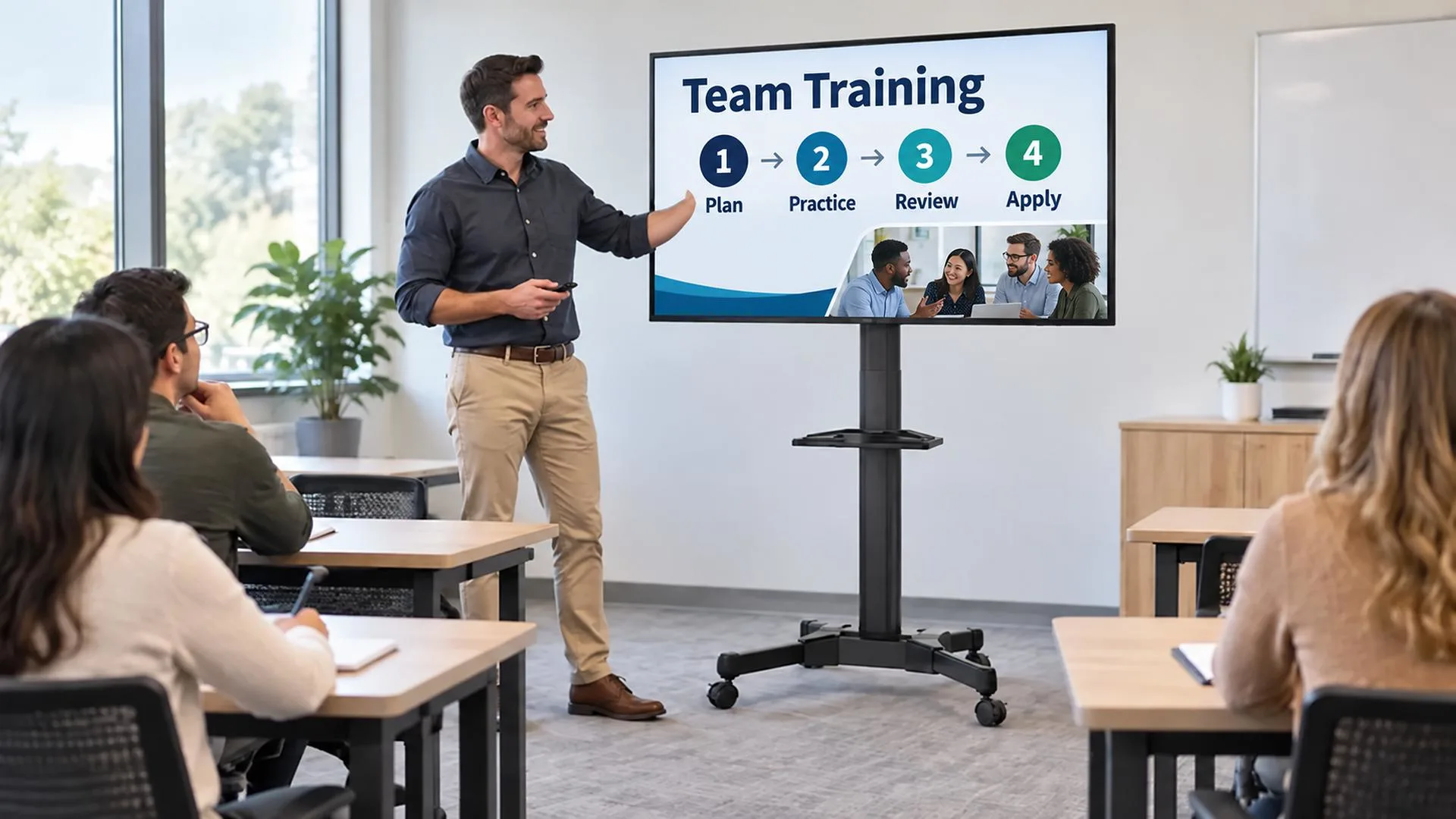
Events, Exhibitions, and Retail Displays
Temporary venues can use a cart for presentations, demonstrations, digital signage, schedules, or wayfinding, then move or store the system as one unit.
Hospitality and Shared Facilities
Hotels, community spaces, care facilities, and multipurpose venues can move displays with changing schedules while maintaining a professional appearance.
How to Choose the Right Mobile TV Cart
Start with the display, then consider the route and the application.
- Confirm screen size and weight.Use the actual display specifications and stay within the cart’s rated range.
- Measure the VESA pattern.The horizontal and vertical mounting-hole distances must match the mounting plate.
- Check doorways and storage.Consider the complete width and height of the assembled cart and display.
- Evaluate the floor.Wheel size and material should suit hard floors, carpet, and thresholds along the route.
- Choose the viewing height.Match the adjustment range to seated, standing, or mixed audiences.
- Plan accessories.Identify laptops, cameras, media devices, or other equipment that need shelves.
- Review cable routing.Make sure cables remain protected and clear of moving parts.
- Consider repeated use.Commercial environments may require stronger construction and more durable casters than occasional home use.
NBMounts currently offers TV cart models for commonly used large displays, including products listed for 37- to 75-inch screens with VESA compatibility up to 600 x 400 mm. Buyers should confirm the exact weight capacity, adjustment functions, shelves, and packaging of each selected model.
Why TV Carts Are a Versatile Retail Category
The category can serve several channels. Office dealers can sell a meeting solution; education suppliers can focus on shared classroom technology; AV retailers can emphasize compatibility and durability; e-commerce sellers can highlight wall-free placement.
A clear assortment might include a standard model, a conferencing model with shelves, and a heavier-duty option for larger screens. Product pages should make VESA range, capacity, dimensions, wheel functions, height adjustment, and shelves easy to compare. Clearly labeled hardware, logical instructions, and protective packaging can also reduce support questions.
One Display, More Possibilities
A mobile TV cart turns a fixed screen into a shared resource. Smooth movement, secure locking, adjustable height, useful shelves, and organized cables allow the display to adapt to rooms and activities that change throughout the day.
For retailers, that creates a product with multiple sales stories rather than one narrow use. The same core solution can serve offices, schools, training centers, exhibitions, and commercial AV customers.
NBMounts manufactures TV carts and display-mounting products for international distribution partners. OEM and ODM support is available for product configuration, branding, packaging, and market requirements. Contact our team for a wholesale catalog, model recommendations, or a customized TV-cart program.
Add Mobile TV Carts to Your Product Range
Want to serve offices, schools, and commercial AV buyers with mobile display solutions? Explore NBMounts TV carts, then contact us with your target screen sizes, VESA patterns, use cases, and expected order volume. We can discuss model selection, wholesale supply, and branding or packaging requirements for your market.
FAQ
1. What is the difference between a mobile TV cart and a TV floor stand
A mobile TV cart is designed to move on casters and normally includes wheel-locking features. A floor stand may be intended to remain in one location. Product terminology varies, so buyers should confirm the base and mobility functions.
2. Can one mobile TV cart be used in several rooms
Yes, provided the route, doorways, flooring, power access, and operating procedures are suitable. The display and accessories must remain within the cart’s capacity, and the casters should be locked when the cart is in position.
3. How do I know whether a TV fits a cart
Check three items: the screen’s weight, its VESA mounting pattern, and its overall dimensions. All must fall within the selected cart’s specifications. Do not choose by diagonal screen size alone.
4. Are mobile TV carts suitable for video conferencing
They can be. Look for an appropriate camera shelf, an AV shelf for conferencing equipment, suitable display height, cable management, and enough capacity for the complete system.
5. What information should retailers provide on a TV-cart product page
List compatible screen sizes, maximum display weight, VESA range, height settings, overall dimensions, caster and locking functions, shelf sizes and capacities, adjustment features, package contents, and assembly information.